RobOS
You’re Still at the Wheel. The AI Just Does the Driving.
RobOS is an AI-first development desktop built for software delivery — every surface, app, and workflow is optimized to keep you shipping. Pick up a ticket, understand a bug, review a fix, merge and deploy — all with AI agents doing the heavy lifting while you stay in command.
The entire desktop shell and its 30+ apps are built on Electron, running natively on Linux over a GNOME base — giving every tool a consistent, hackable web-tech foundation.
The desktop itself is also fully customizable by AI on the fly: rearrange your taskbar, swap themes, change the clock format — just by typing a prompt.
Early stage — building in public. RobOS is pre-1.0 with 24 epics, 40+ apps, and new features landing weekly. App demos are shipping on YouTube with more landing weekly. Star the repo and subscribe to follow along.
⭐ Star on GitHub Get Started Watch on YouTube
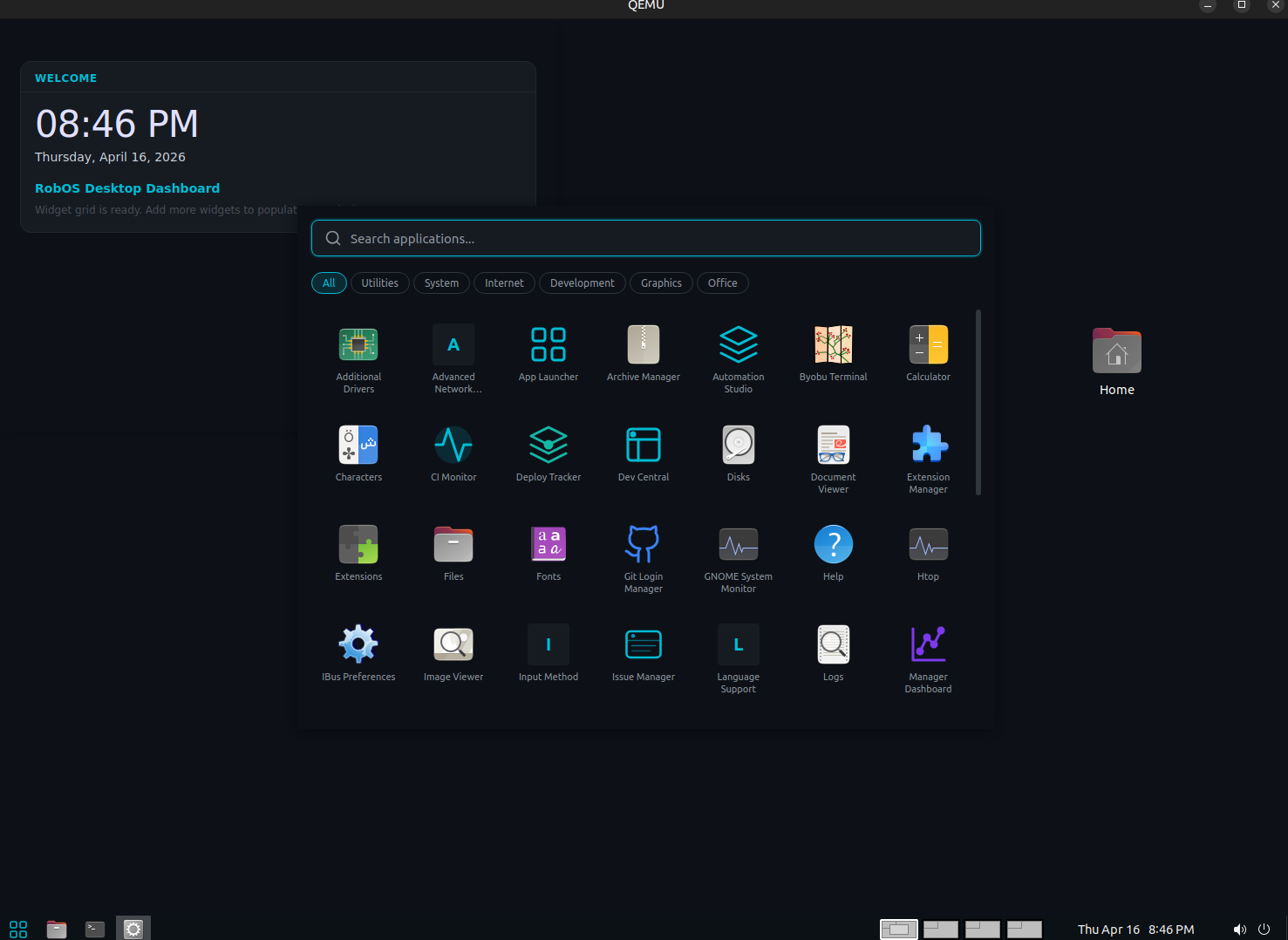
RobOS Desktop — the programmable 52px taskbar shell over a clean GNOME workspace
Before → After: The default Ubuntu/GNOME desktop, reshaped into a Mac-style dark environment — slim bottom taskbar, floating dock, consistent dark navy theme — entirely through RobOS AI Prompt and Skills. No config files edited by hand.
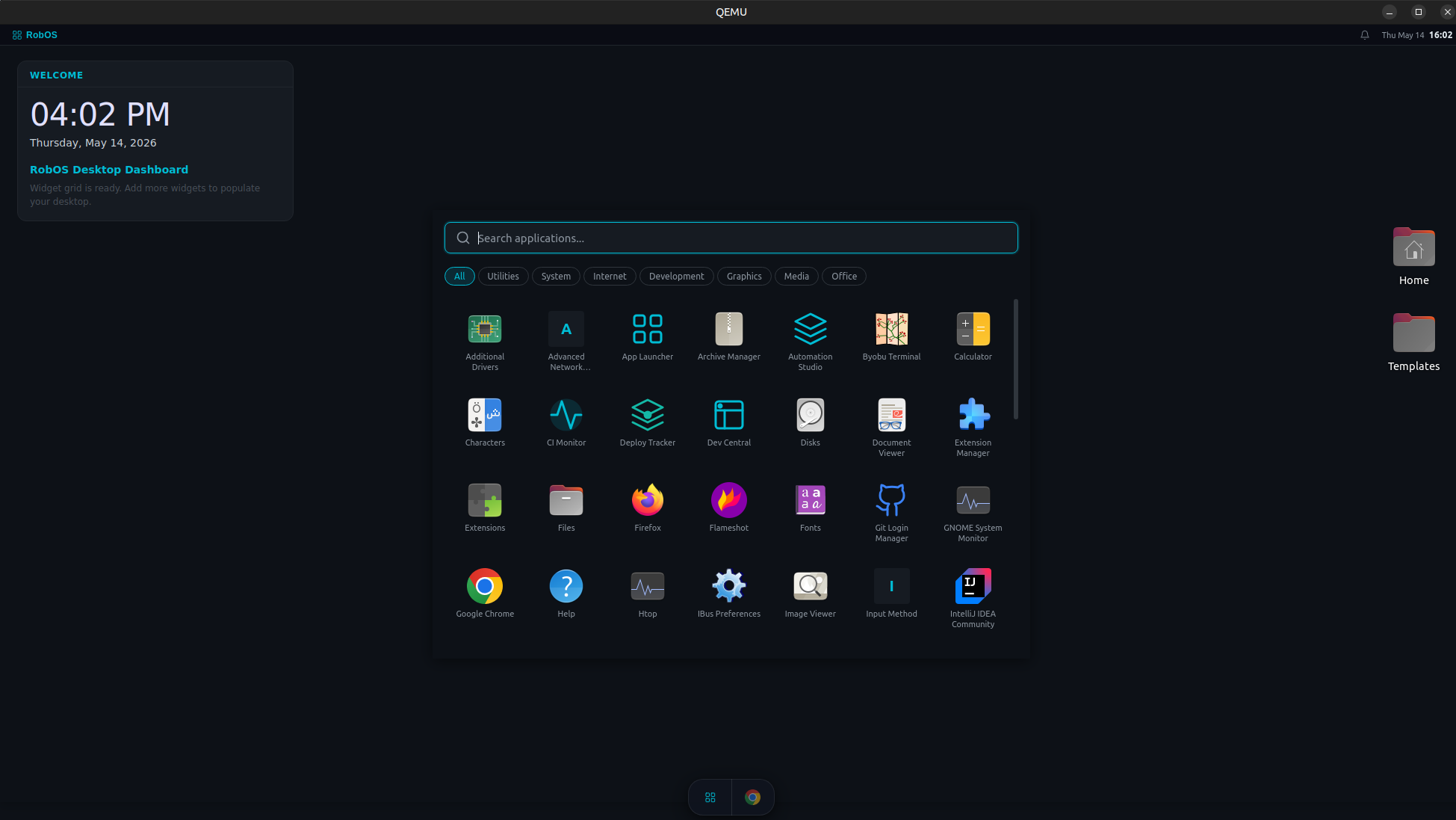
Stock GNOME → RobOS-customized desktop — same hardware, completely different feel
See It in Action
Task Planner + Task Implementer — Plan a Sprint, Ship the Code
Type a plain-English sprint description → Task Planner generates a structured GitHub backlog in seconds → Task Implementer picks up an issue and runs the AI agent to completion. Watch on YouTube.
The Full SDLC in RobOS — Every App, Start to Deploy
A rapid-fire walkthrough of every RobOS app in software delivery order — Dev Central → Issue Manager → Git Projects → Task Planner → AI Prompt → PR Review → CI Monitor → Deploy Tracker. Start to finish in under four minutes. Watch on YouTube.
Individual deep-dive walkthroughs landing weekly on the channel — browse them all on the App Suite page.
Two Pillars
1. You Command. AI Delivers.
30+ purpose-built apps cover every phase of the SDLC — from picking up a ticket to merging code. AI agents investigate bugs, propose fixes, draft PRs, review code, and track deployments. You stay at the wheel — reviewing the plan, approving changes, and steering the agents. The AI does the grunt work. You ship without burning out.
2. A Desktop Built for Developers Who Own It
The RobOS Desktop is a fully programmable taskbar and shell — not a locked-down OS panel. Pair it with RobOS Skills (70+ shell skill packs) and RobOS AI Prompt to reshape the entire desktop through plain English: move the taskbar, reformat the clock, pin custom Electron apps, inject widgets, create shortcuts. Every change is git-snapshotted with instant rollback. Your desktop, your rules.
Pillar 2: RobOS Desktop + Skills + AI Prompt
The three pieces of RobOS’s customizable desktop work together as a unified layer:
🖥️ RobOS Desktop
A 52px slim taskbar shell that owns the bottom of the screen — showing all open app windows with their icons, a launcher button, clock, and tray. Unlike GNOME's locked panel, every aspect of the RobOS Desktop is programmable through prompts and skills.
What you can do with a single prompt:
"Move the taskbar to the top of the screen"
"Switch the clock to 24-hour format and show the date"
"Add my new Pomodoro timer app to the taskbar as a pinned item"
"Create a keyboard shortcut Super+T to open Tilix"
"Show me all running processes sorted by memory and kill anything over 2 GB"
"Build me a CPU usage widget and add it to the desktop"
Each prompt selects the matching desktop skills, fills in parameters, runs the commands, and shows you exactly what changed — with a snapshot taken before each destructive operation so you can roll back instantly.
What Makes RobOS Different
You’re the Commander, Not the Typist — AI agents investigate bugs, propose fixes, draft PRs, review code, and track deployments. You review the plan, steer the agents, and approve what ships. The AI does the grunt work. You stay sharp on what matters.
Prompt-Driven Desktop — The RobOS Desktop is a fully programmable shell. Pair it with Skills and AI Prompt to reshape your environment in plain English — move the taskbar, reformat the clock, pin custom Electron apps, inject widgets. Every change snapshots automatically so you can roll back instantly.
Task-Driven Workspaces — Each task maps to its own IDE workspace provisioned automatically: branch checked out, dev environment started, breakpoint set at the issue reproduction point. You walk in, see the bug reproducing, and review the AI’s proposed fix.
Automatic Everything — Status transitions, notifications, PR descriptions, reviewer checklists, and deployment tracking happen automatically through an event-driven architecture. You focus on decisions, not bookkeeping.
Linux on a Budget — RobOS runs beautifully on a $700 ThinkPad. Ubuntu 24.04 + GNOME, zero OS licensing, and the same environment your CI/CD runs on. Details →
Install RobOS
Flash a USB, boot, and walk into a fully provisioned AI development desktop in under 20 minutes.
The Model Problem: Building Buildbarn Forms
We validate every RobOS feature against a real project: buildbarn-forms — a React component library for editing Buildbarn remote build execution configurations. Buildbarn is an open-source remote execution system used by organizations running large-scale distributed builds. The buildbarn-forms library reads Buildbarn’s protobuf configuration schemas and renders type-safe, validated form UIs for each config section (workers, storage, schedulers, browsers).
A team of four (Product Owner, Developer, Dev Lead, Manager) uses RobOS to take a story from backlog to deployed, with every status transition, notification, and dashboard update happening automatically.
30+ Purpose-Built Apps


Architecture at a Glance
RobOS Desktop (Ubuntu 24.04 + GNOME)
├── 30+ Electron Apps ──── dark theme, contextBridge IPC
├── RobOS Desktop ──────── programmable 52px taskbar shell
├── RobOS Skills ───────── 70+ shell skill packs
├── RobOS AI Prompt ────── plain-English AI agent terminal
├── Event Bus ──────────── automatic status transitions
├── Rule Engine ────────── event → condition → action
├── Agent Scheduler ────── background AI agent jobs
├── Desktop Manager ────── system tray + app launch IPC hub
└── Shared Libraries ───── robos-lib, robos-icons, robos-ui
The Cost Case
RobOS runs on commodity Linux hardware. A $700 ThinkPad running Ubuntu runs VS Code, Docker, and every AI SDK identically to a $2,500 MacBook — because AI doesn’t care about your OS, it runs in the cloud.
| Line Item | MacBook Pro | RobOS + ThinkPad |
|---|---|---|
| Hardware | $2,499 (M3 Pro 14”) | $699 (ThinkPad E14 Gen 6) |
| OS License | $0 (bundled) | $0 (Ubuntu LTS) |
| Project Mgmt | $77/yr (Jira Standard) | $0 (RobOS + GitHub Issues) |
| 3-Year Total | $3,400+ | ~$950 |
For a 50-person org refreshing every 3 years, that’s $100,000+ saved per cycle — before counting the productivity gains from AI-native tooling. Linux is also where your CI and containers run, eliminating “works on my machine” for good.